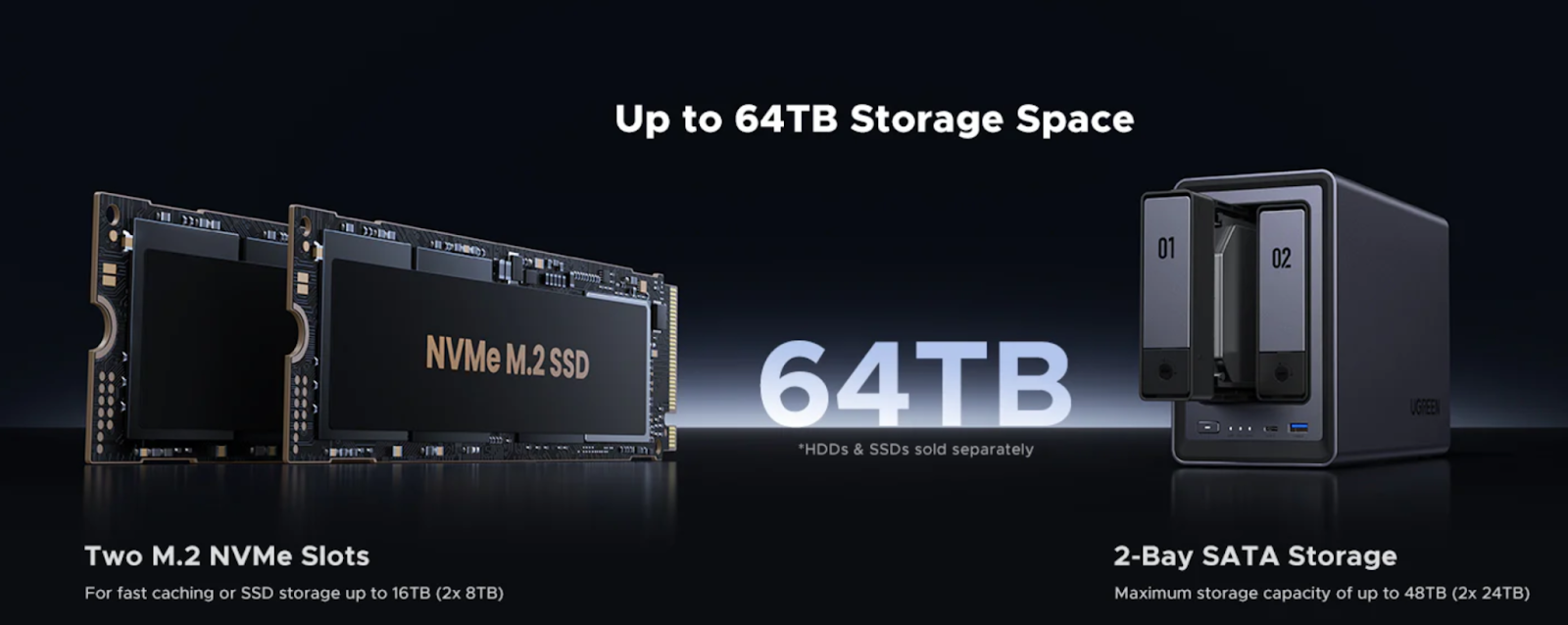
In today’s work-from-home era, having a reliable and efficient storage solution is crucial for professionals. Whether you’re a freelancer, a creative professional, or a small business owner, a Home Office SSD NAS (Network Attached Storage) can transform the way you manage and access your files. Unlike traditional hard drives, an SSD NAS offers faster file access, better performance, and enhanced security, making it the ultimate choice for modern home offices.
This guide will walk you through everything you need to know about choosing the best SSD NAS for your home office setup. From understanding the benefits of SSDs to exploring top models and setup tips, we’ve got you covered.
What Is an SSD NAS, and Why Do You Need One?
Understanding SSD NAS
An SSD NAS is a network-attached storage device that uses solid-state drives (SSDs) instead of traditional hard disk drives (HDDs). SSDs have no moving parts, which means they are faster, quieter, and more durable than HDDs.
An SSD NAS acts as a private cloud for your home office, allowing you to store, back up, and share files securely. It’s perfect for professionals who need quick access to large files, seamless collaboration, and reliable data protection.
Why an SSD NAS Is Ideal for a Home Office
Here’s why an SSD NAS is a game-changer for home office users:
· Faster file access: Load large documents, videos, or design files in seconds.
· Better multitasking: Support multiple users and remote access without lag.
· Silent and energy-efficient: No noisy spinning disks and lower power consumption.
· More reliable: No moving parts mean less risk of mechanical failure.
An SSD NAS is not just a storage device—it’s a productivity booster for your home office.
Key Factors to Consider When Choosing an SSD NAS
Performance: Processor, RAM, and Network Speed
The performance of your SSD NAS depends on three key components:
· CPU: ARM processors are energy-efficient and affordable, while Intel and AMD CPUs offer higher performance for demanding tasks like virtualization or media editing.
· RAM: For most home office users, 4GB of RAM is sufficient. However, if you run multiple applications or virtual machines, opt for 8GB or more.
· Network Connectivity: A 1GbE connection is standard, but upgrading to 2.5GbE or 10GbE can significantly improve file transfer speeds, especially for large files.
SSD Type: SATA vs. NVMe – Which One Should You Choose?
When choosing SSDs for your NAS, you’ll encounter two main types:
· SATA SSDs: Affordable, reliable, and perfect for general use. They offer speeds up to 550MB/s, which is more than enough for most home office tasks.
· NVMe SSDs: These are ultra-fast, with speeds exceeding 3,500MB/s. They’re ideal for power users handling heavy workloads like 4K video editing or large datasets.
For most home office users, SATA SSDs strike the right balance between performance and cost. However, if speed is critical, consider a NAS with NVMe support.
Storage Capacity: How Much Do You Need?
Your storage needs depend on the type of work you do:
· 1TB – 2TB: Best for freelancers or professionals working with small files like documents and spreadsheets.
· 4TB – 8TB: Ideal for creative professionals handling large projects, such as video editing, graphic design, or CAD files.
· Expandable NAS options: If you anticipate future growth, choose a NAS that allows you to add more drives or storage capacity.
Security & Backup Features
Data security is critical for home office users. Look for these features in an SSD NAS:
· RAID support: RAID 1 mirrors data across drives for redundancy, while RAID 5/6 offers a balance of performance and protection.
· Encryption & access controls: Protect sensitive files with encryption and user permissions.
· Automatic backups: Schedule regular backups to ensure your work is never lost.
Best SSD NAS Options for Home Office Users
Best 2-Bay SSD NAS for Small Home Offices
· UGREEN DXP2800: 2 bay NAS,Affordable, easy to use, and optimized for SSDs, making it ideal for freelancers and solo professionals.
Best 4-Bay SSD NAS for Power Users & Small Businesses
· UGREEN DXP4800: 4 bay NAS Offers scalability and reliability, making it a great choice for growing businesses.

Setting Up Your SSD NAS for Maximum Efficiency
Optimizing Network Speed for Fast File Transfers
To get the most out of your SSD NAS, ensure your network is up to speed:
· Upgrade to 2.5GbE or 10GbE: These faster connections are essential for handling large files and multiple users.
· Use high-quality Ethernet cables: Avoid bottlenecks by using Cat6 or Cat7 cables.
Configuring RAID for Data Protection
Choose the right RAID configuration for your needs:
· RAID 1: Mirrors data across two drives, providing redundancy for small setups.
· RAID 5/6: Offers a balance of performance and protection, ideal for larger setups with multiple drives.
Enabling Remote Access for Work-from-Anywhere Flexibility
Set up your SSD NAS as a personal cloud to access files from anywhere:
· Use secure login methods: Enable two-factor authentication and VPNs to protect your data.
· Install mobile apps: Manage your files and backups on the go with apps from UGREEN.
Conclusion: Choosing the Best SSD NAS for Your Home Office
An SSD NAS is a smart investment for any home office, offering faster file access, better performance, and enhanced security. By considering factors like performance, storage capacity, and security features, you can find the perfect SSD NAS for your needs.
Whether you’re a freelancer or a small business owner, models like the UGREEN 2-Bay NAS provide excellent options for different budgets and workloads.
Call to action: Explore SSD NAS options today and take your home office setup to the next level!